Free SaaS Edition
Visit signalboard.net for the free SaaS edition, a professional live engagement platform designed for training sessions, workshops, and interactive presentations.
SignalBoard enables trainers and facilitators to create interactive sessions that maintain participant engagement, whether delivered remotely or on-site.
This free SaaS edition offers a comprehensive set of 9 interactive session types. No registration is required, ensuring data privacy with only in-memory ephemeral state, and no tracking of any kind.
For organizations seeking enhanced customization, branding, and backend integration options, upgrades to the Custom SaaS Edition or the Self-Hosted Edition are available.
Interactive Session Types
SignalBoard offers 9 distinct session types, each designed for specific engagement scenarios:
Wall
Collaborative Idea Collection
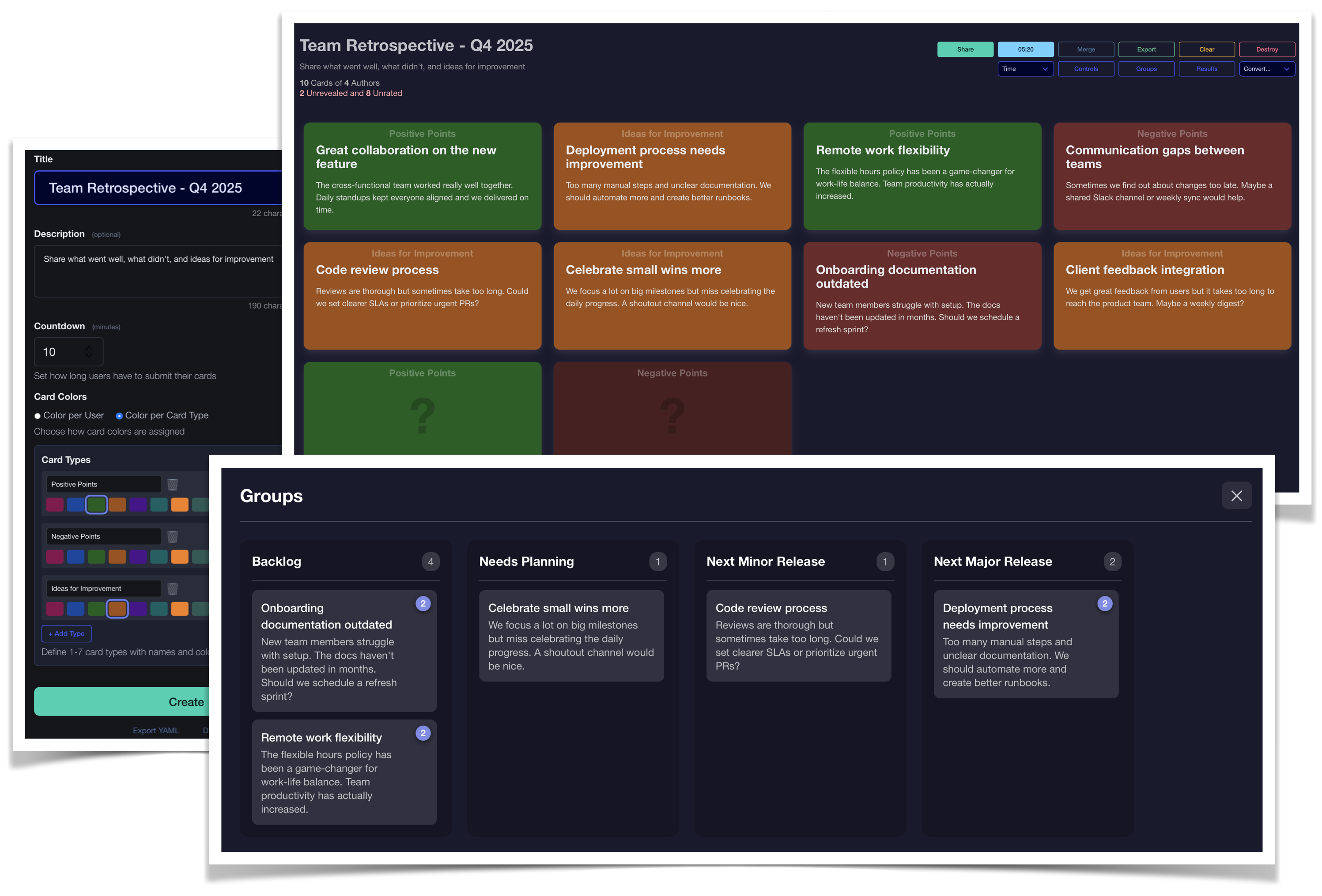
Collect ideas from participants via digital cards displayed on a shared wall. Perfect for brainstorming sessions, retrospectives, and gathering feedback. Participants can contribute anonymously, and ideas can be grouped, discussed, and prioritized in real-time. Drag-and-drop functionality is available to move cards between Kanban columns.
Poll
Quick Multiple Choice
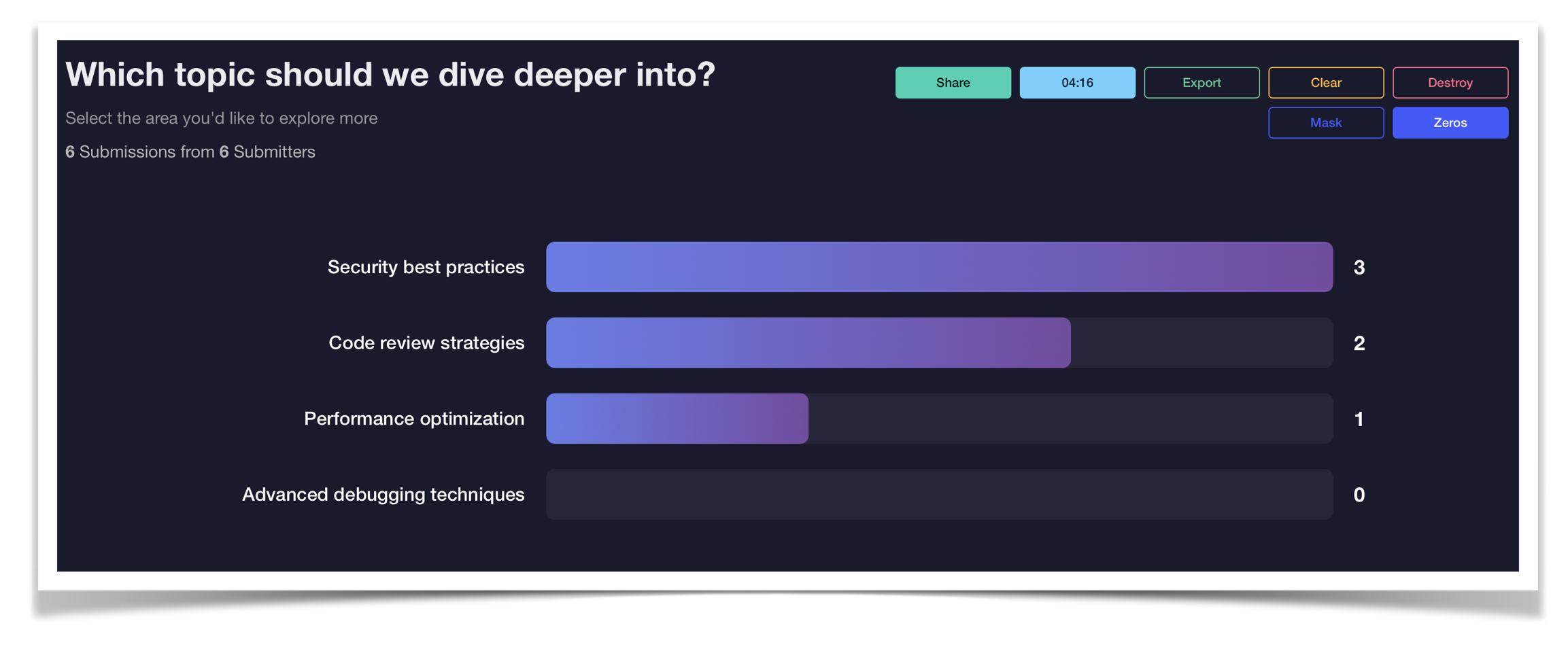
Let participants choose from predefined options with instant visualization of results. Ideal for quick decisions, gauging preferences, knowledge checks, and multiple choice questions during training sessions.
Rank
Priority Ordering
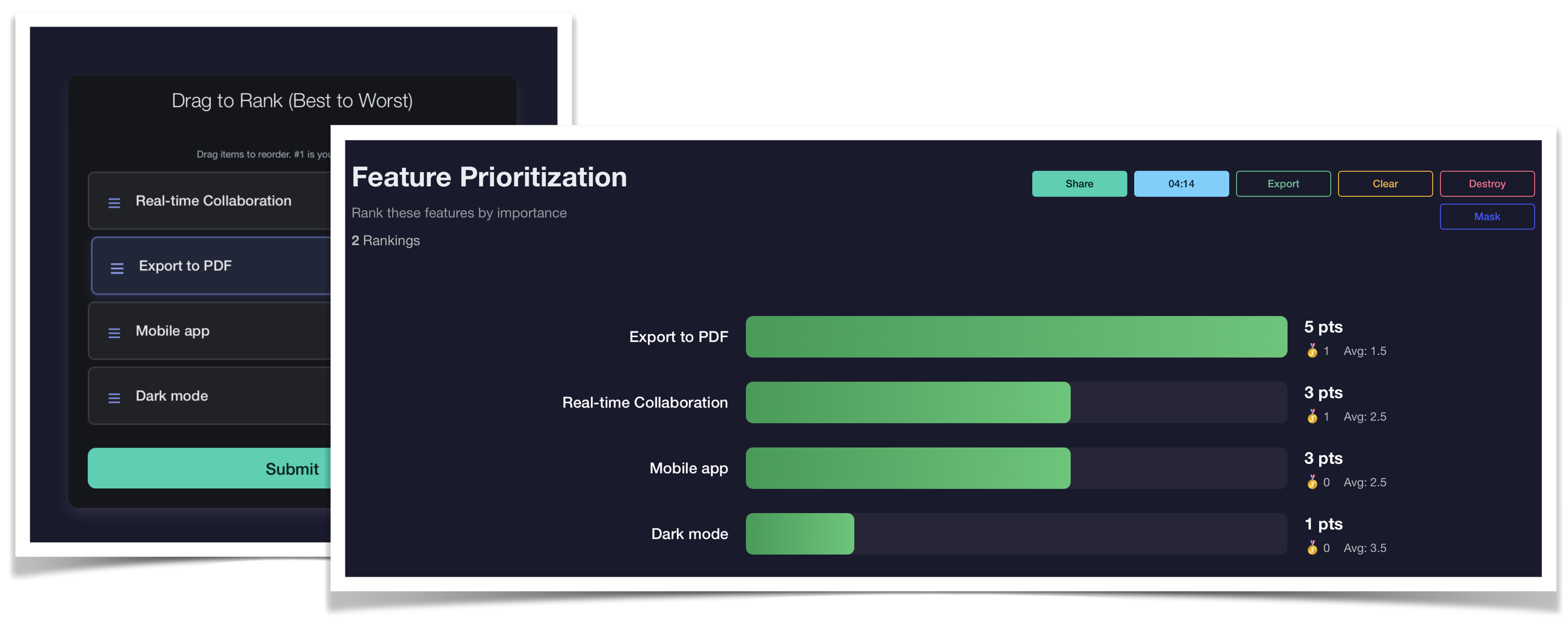
Have participants rank options by preference with drag-and-drop simplicity. Perfect for prioritization exercises, feature voting, and building consensus around competing options.
Meter
Sentiment & Confidence Measurement
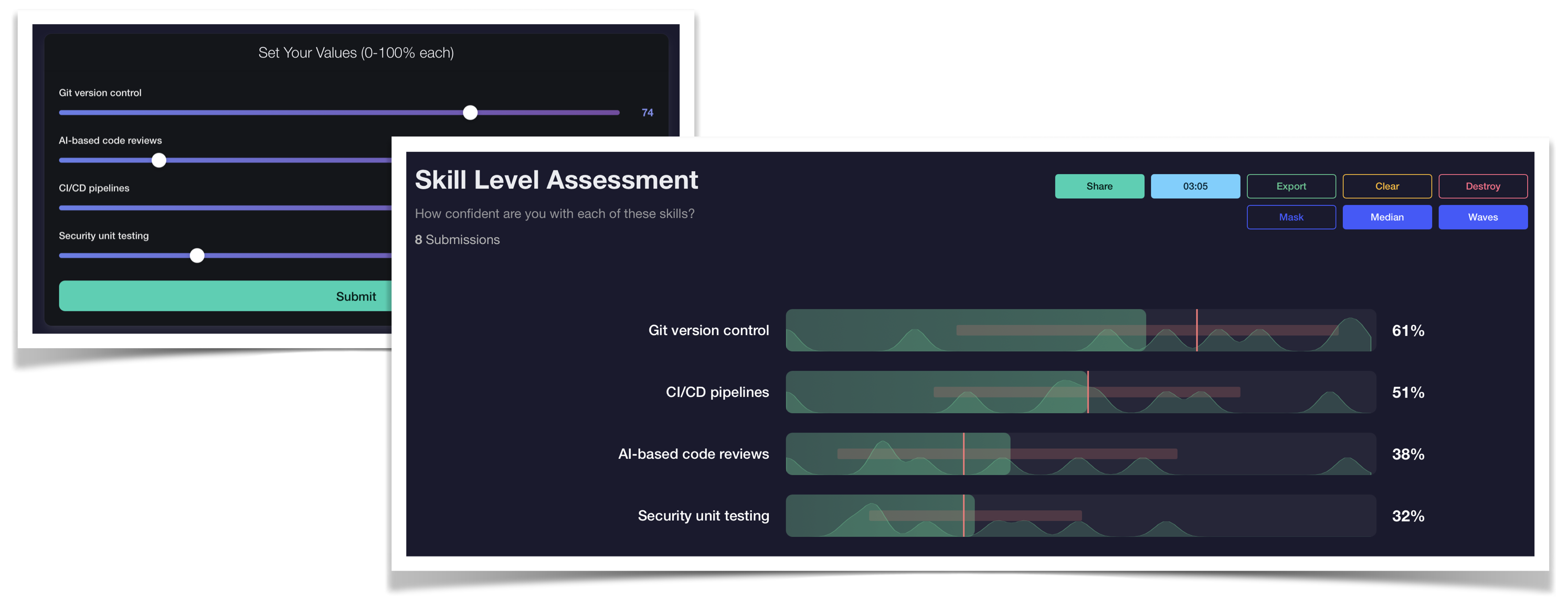
Measure sentiment, confidence levels, or agreement on a visual scale. Excellent for gauging understanding, interest levels, or distributing weight across options. Great for checking comprehension during training modules.
Plot
2D Chart Positioning
Let participants place points on a two-dimensional chart. Ideal for mapping preferences, risk assessments, effort-impact analysis, or sentiment analysis with multiple dimensions.
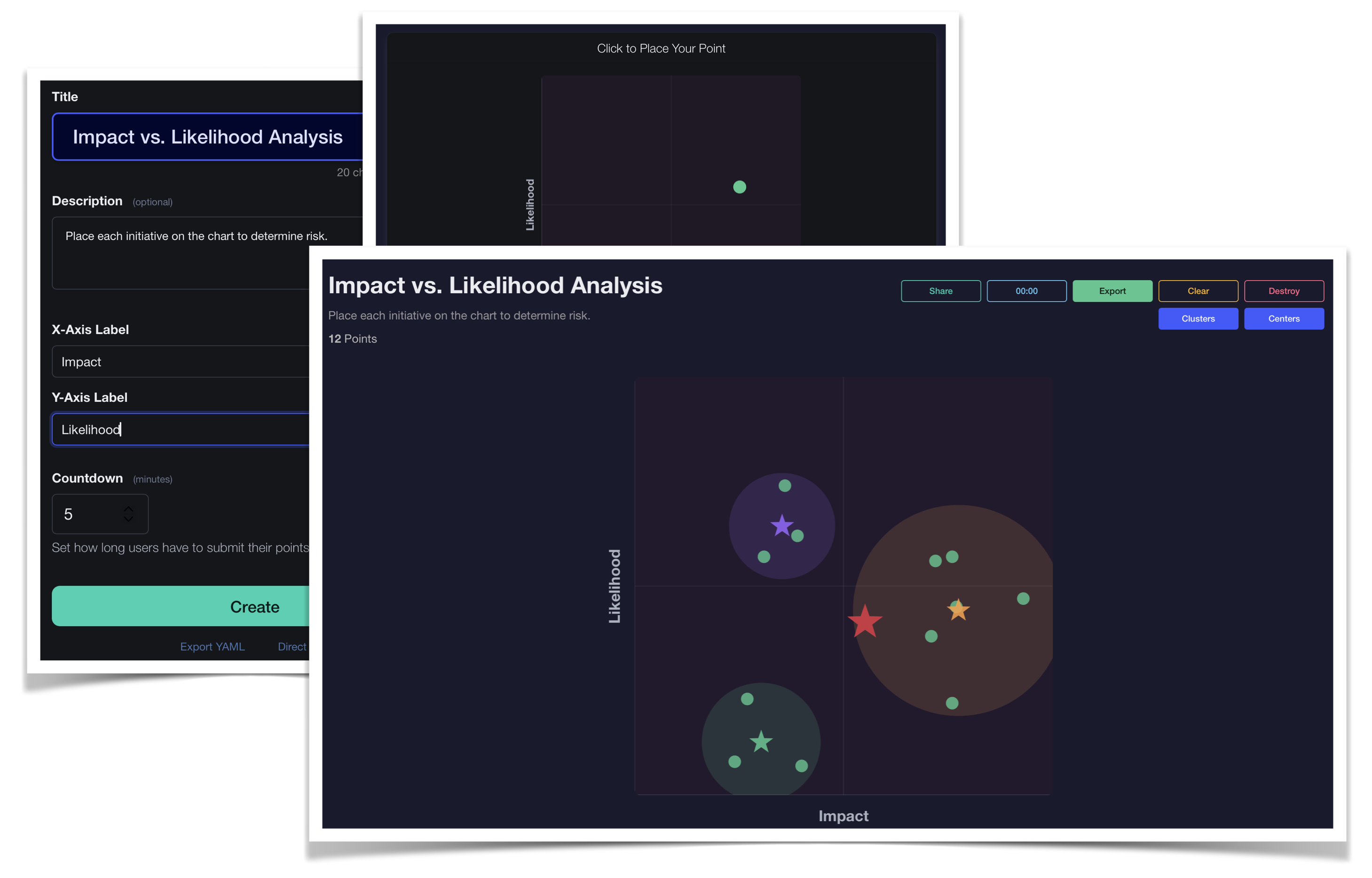
Annotate
Tag-Based Categorization
Allow participants to annotate items with tags from a predefined set. Perfect for categorization exercises, classification tasks, and group labeling activities where multiple perspectives matter.
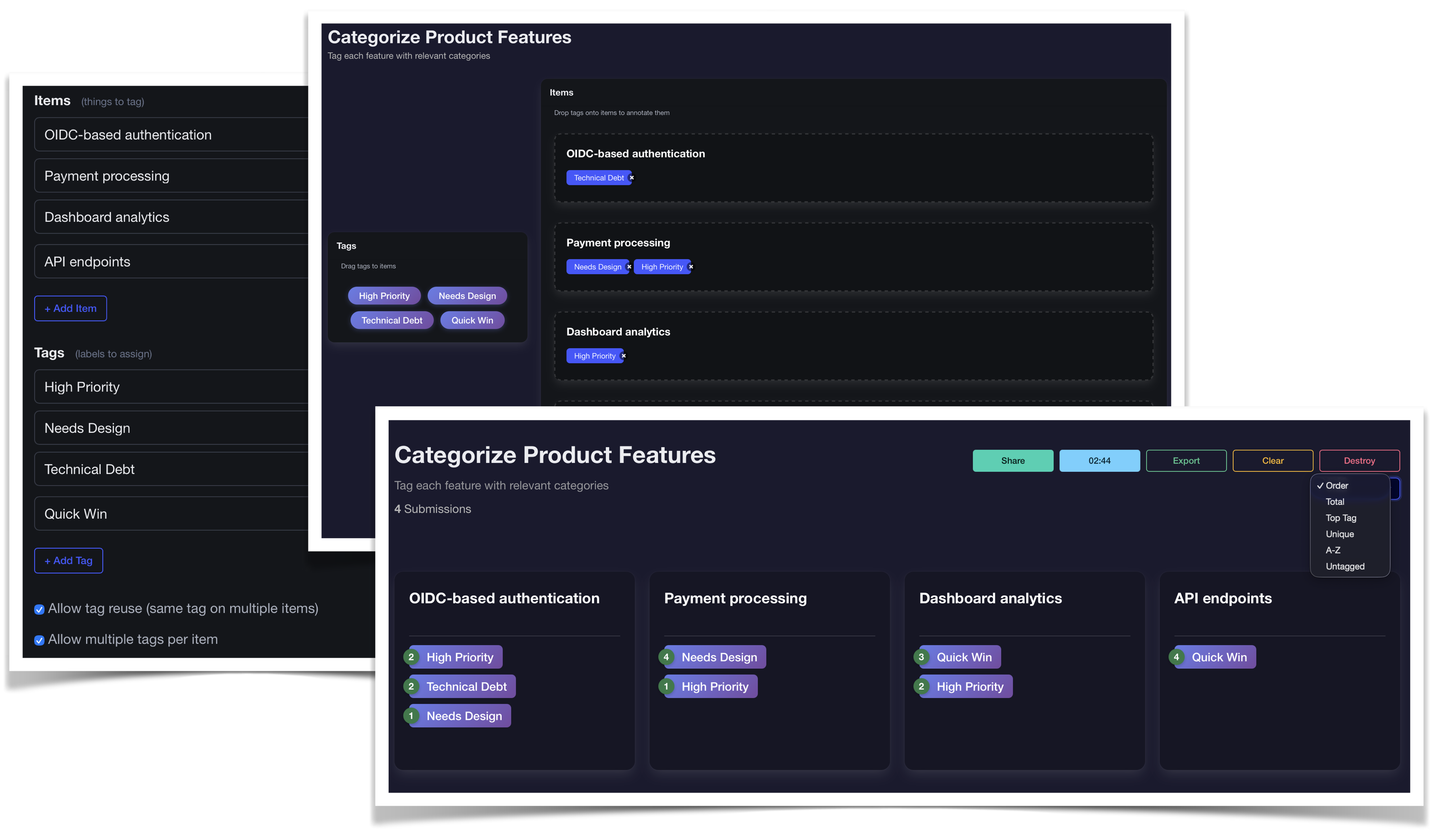
Rate
Star-Based Evaluation
Enable participants to rate items using star ratings. Great for prioritization, preference voting, satisfaction surveys, and evaluating multiple options on a consistent scale.
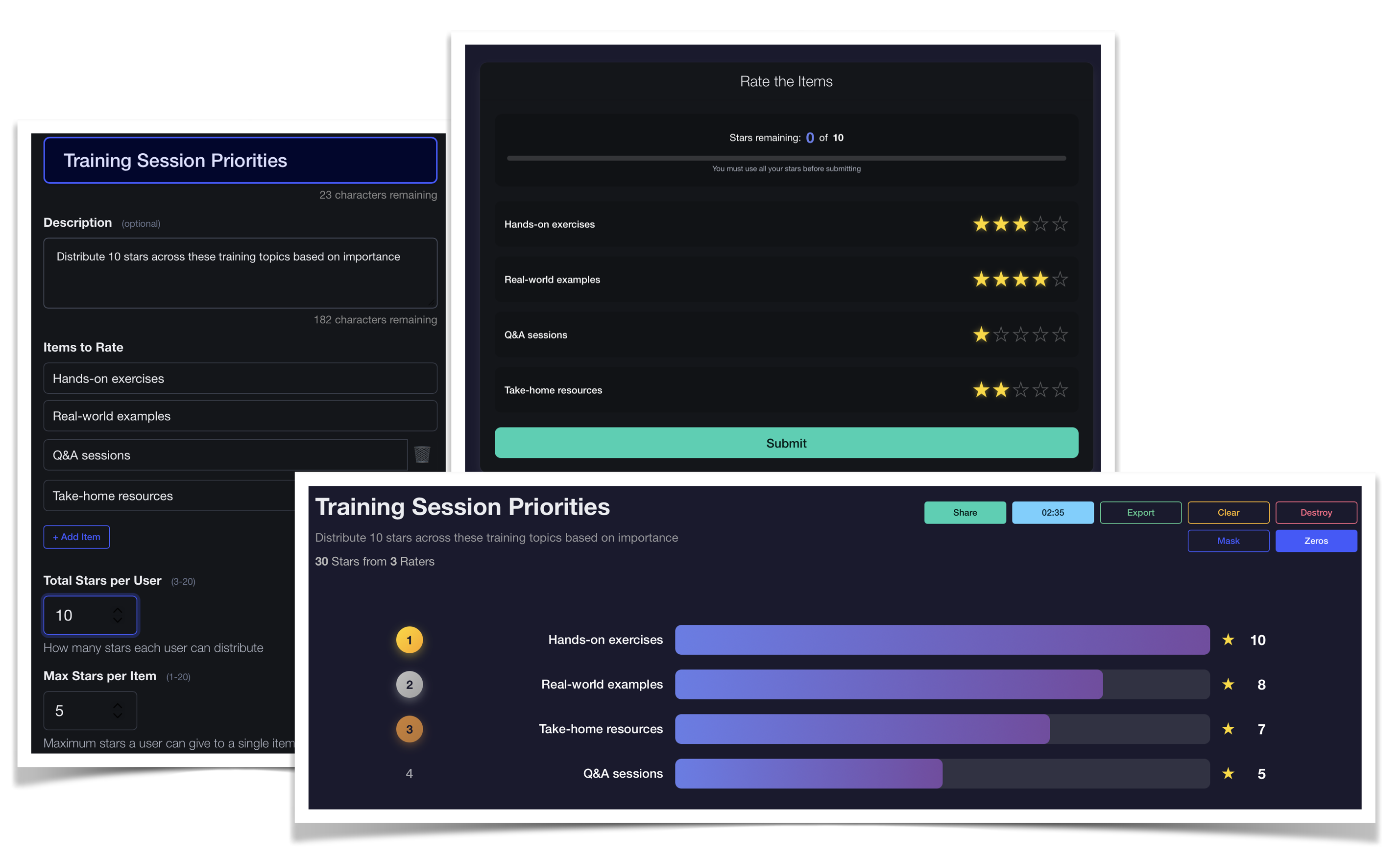
Word
List Selection
Let participants select items from a curated list. Excellent for identifying popular choices, surfacing key themes, and understanding preferences when options are already defined.
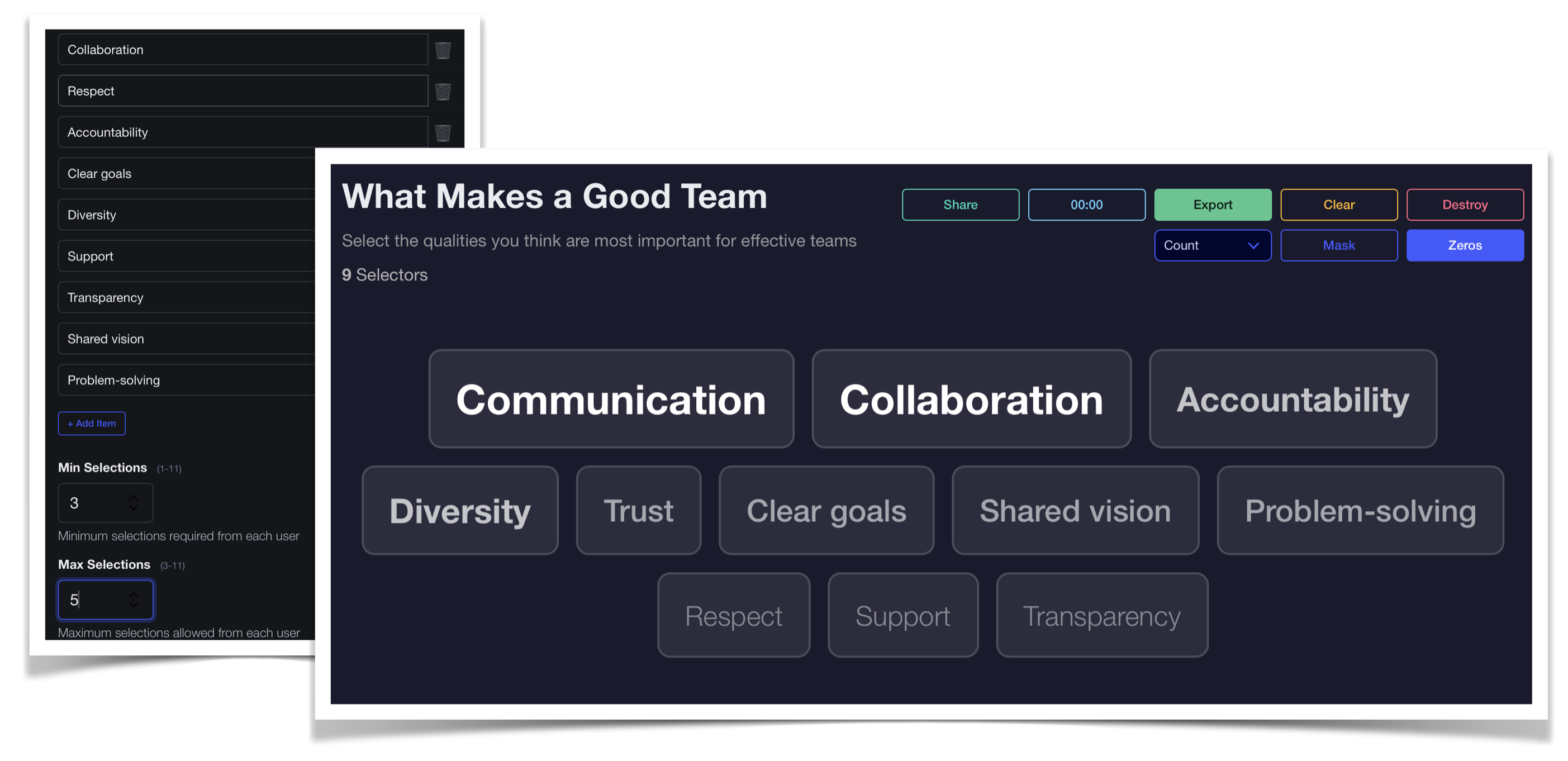
Write
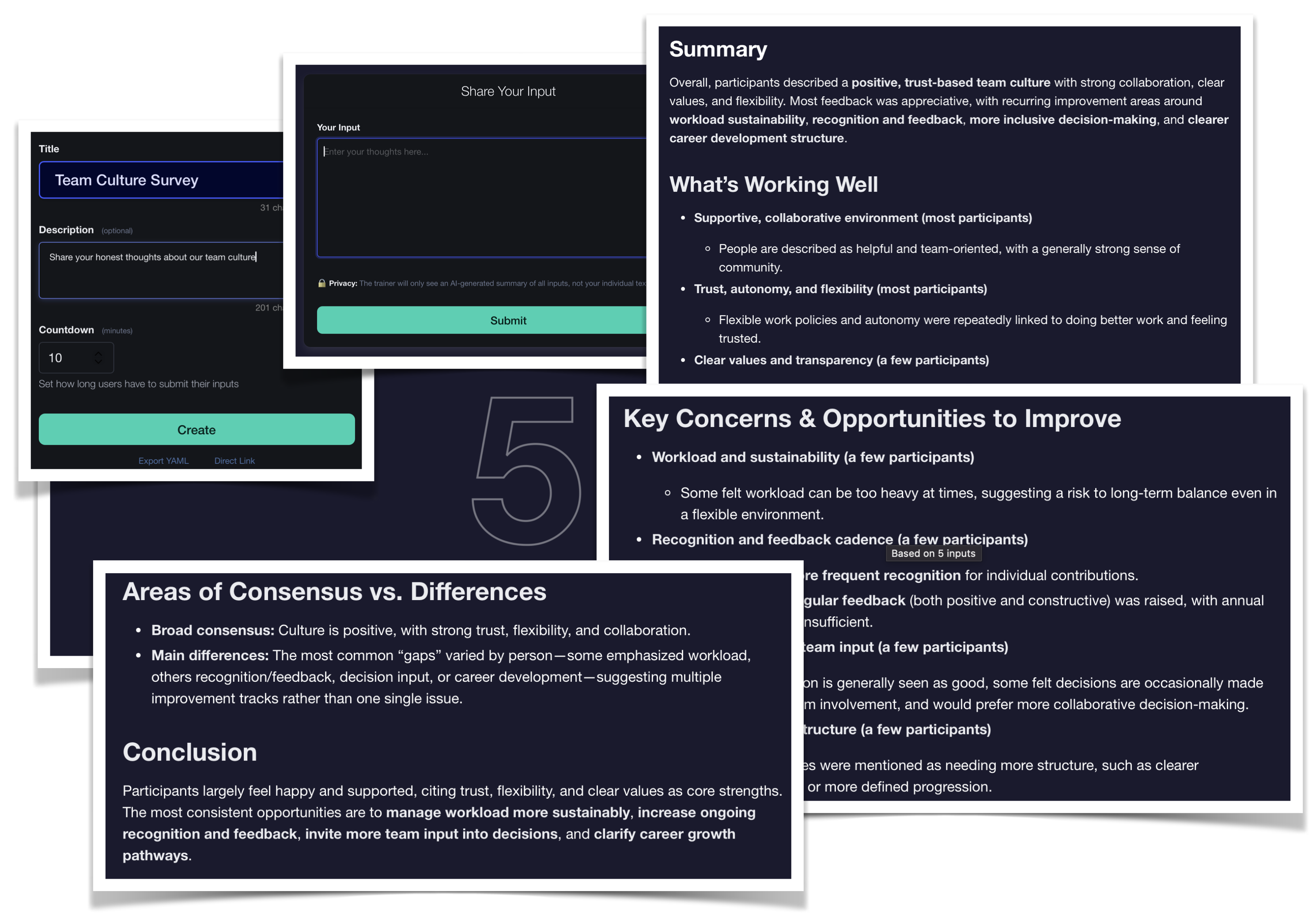
Anonymous Text Input with AI Summary
Allow participants to share anonymous text inputs on any topic. The AI-powered summarization feature generates a structured summary from all contributions, making it easy to distill insights from large groups. Additionally, this allows smaller groups to speak freely while still maintaining anonymity in the submissions.
Use Cases
SignalBoard excels in various professional contexts:
Workshops & Retrospectives: Facilitate brainstorming, gather feedback, and build consensus during team workshops and retrospective meetings.
Live Presentations: Maintain audience engagement during technical presentations and live demonstrations with real-time polls and questions.
Remote & Hybrid Sessions: Bridge the engagement gap in remote and hybrid training environments where maintaining participant attention is challenging. Even in diverse groups, SignalBoard allows everyone to participate meaningfully by enabling silent content collection — ensuring every participant’s input is included.
On-Site Training: Augment hands-on exercises with interactive elements that reinforce learning and encourage participation.
Free Edition Features
The Free SaaS Edition includes:
- All 9 session types with full functionality
- Unlimited sessions and participants
- Real-time result visualization
- Anonymous participation options
- Client-side data management (no server storage)
- No registration or account required
- Mobile-friendly participant interface
- Export of session results to Microsoft Excel
Upgrade Options
For enhanced customization, branding, and enterprise features, explore the Custom SaaS Edition or the Self-Hosted Edition.
Interested in learning more? Let’s talk.